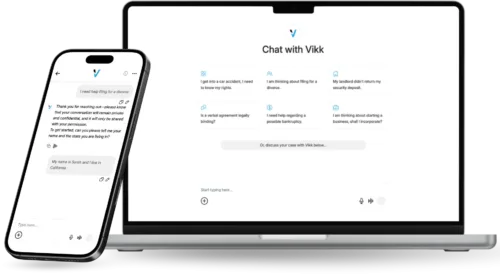
Cross-Platform Access, and Why It Matters in South Carolina
Whatever device happens to be in your hand should be enough, with your conversation history and uploaded documents already there. Here is what that means in practice, and what it means in South Carolina in particular.
The Access Picture in South Carolina
South Carolina pairs growing coastal and upstate metros with rural areas where distance to services is real. Coastal storm season introduces an annual period of unreliable power and connectivity coinciding with a spike in urgent property questions.
Who Uses Which Device in South Carolina
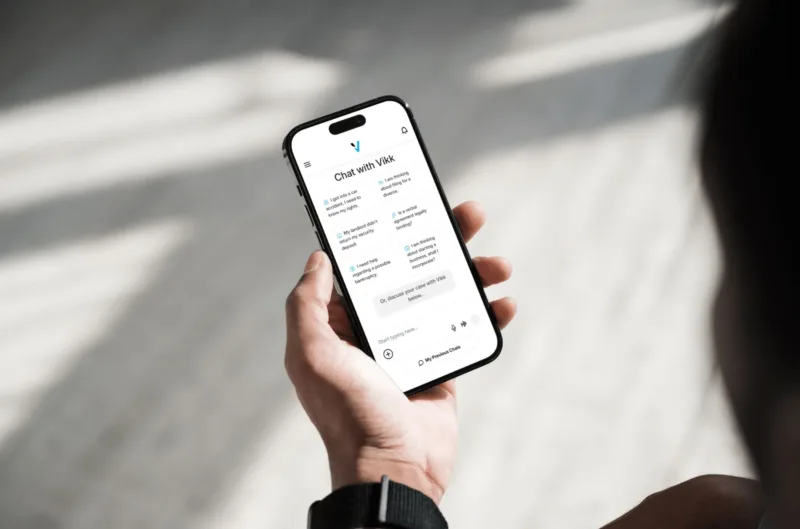
Mobile-dominant for manufacturing, construction, tourism, and hospitality. Desktop use concentrates in Charleston, Columbia, and Greenville office roles.

Where the Question Actually Comes Up
In a driveway after a storm with an adjuster's estimate and a release, which is the defining scenario here. That decision cannot wait for a desk.
Most of it concerns employment and workplace questions or landlord and tenant matters, which are the two areas that generate the highest volume from this state.

Voice, Language, and Accessibility in South Carolina
Camera scanning handles policy pages, estimates, and releases that arrive on paper. Cached access matters during post-storm outages.
The mobile apps support the standard iOS and Android accessibility features, including screen reading, larger type, and high-contrast modes, and voice-first workflows are supported end to end rather than partially.
Three Platforms, One Product
- Web. Best for deep-dive sessions: long contracts, detailed analyses, drafting and editing side by side with the file you are negotiating. Runs in any modern browser with nothing to install, which matters on a work machine you cannot add software to.
- iOS. Full feature parity with the web app on iPhone and iPad. Voice input works naturally, and document upload accepts both files and direct camera scans, so a paper contract can be photographed and analyzed.
- Android. The same feature set on Android phones and tablets, with strong voice support and native handling of Android's file system. Camera scanning works the same way.
Sign in with the same credentials on all three. Current version requirements for the mobile apps are listed on the app stores and on the main features page rather than repeated here, since they change.
What Sync Actually Means
Start a conversation on a desktop while reading a lease, continue it on your phone, and open the same conversation on a tablet at a management office to show someone the exact clause that was flagged. Sync is automatic and works in both directions.
- Conversations:
- Uploaded documents:
- Generated documents:
- Account settings:
- In-progress typing:
- Biometric unlock settings:
- Local downloads:

South Carolina Frequently Asked Questions
Can I review a settlement release in my driveway?
Yes, and that is exactly when it matters. Photograph the policy, the estimate, and the release together and ask what the release waives. Signing it is the step most often taken without reading it.
Are the mobile apps as capable as the web app?
Yes. Feature parity is a design principle. Conversations, document upload, document generation, Strategy Mode, export, and the attorney handoff on Premium and above all work on iOS and Android.
Can I use it offline?
Generating a new analysis requires a connection. Past conversations and downloaded documents may remain viewable offline, so nothing is lost during an outage, but new responses need connectivity.
What if I lose my phone?
Your account and everything in it lives on Vikk AI servers rather than on the device. Sign in on a new phone and your conversations and documents are there. Biometric unlock is available in the app, and remote wipe is a function of your phone's operating system rather than something Vikk AI controls.
Does using several devices count as several users?
No. One account works on as many devices as you like. Business and Enterprise plans price by seat, and a seat is a person rather than a device.
Frequently Asked Questions
Ask a legal question about South Carolina law from whatever device is in your hand. No credit card required.
Are you a Lawyer? Connect with our Users!